Hubs Finder

All hubs

Compare hubs

Add a hub
Price —$320.00
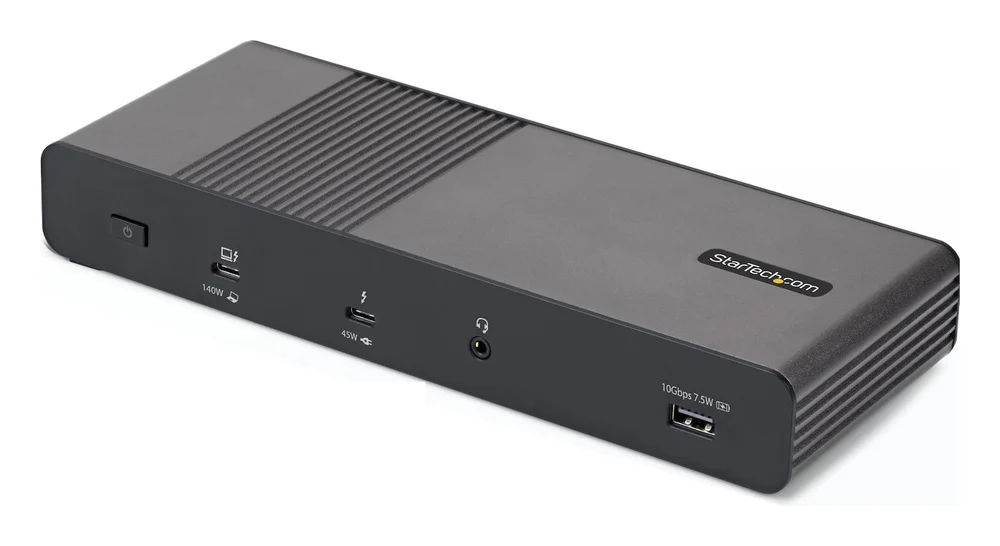
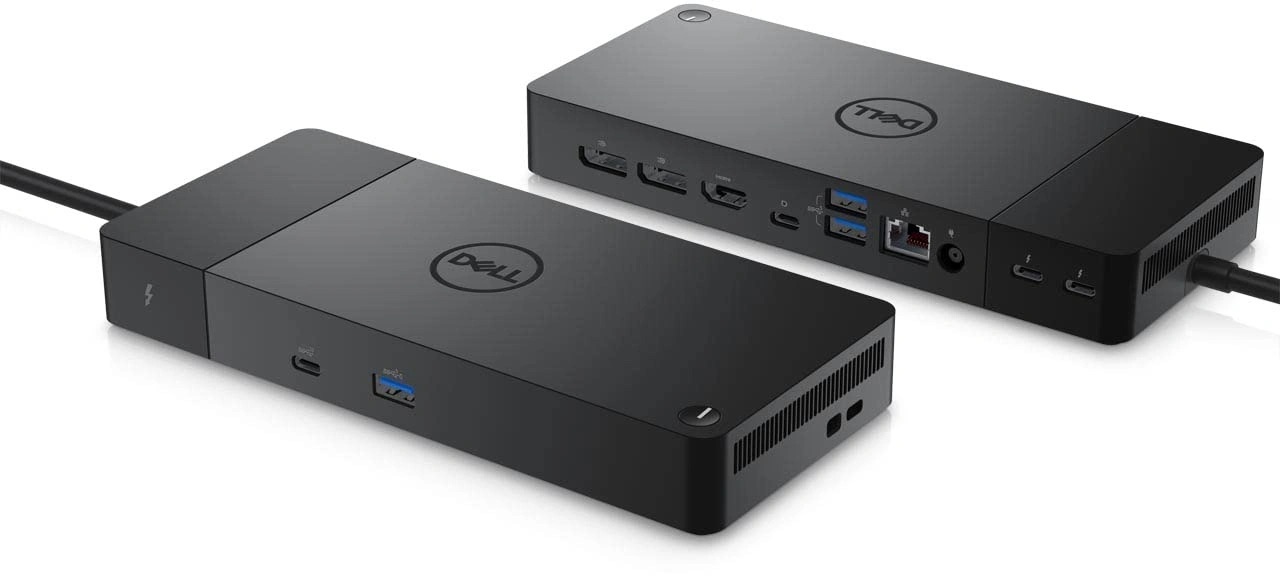
Ports1112
Connects withThunderbolt 4Thunderbolt 5
Cable to your device80 cm, built in1 m, detachable
Charges your device90W140W
PowerOwn power adapterOwn power adapter
Power supply180W180W
MonitorsUp to 4Up to 4
Fastest port40Gbps80Gbps
SSD slot——
SD card speed——
Size20.5 × 9 × 2.9 cm24.3 × 9.2 × 3.5 cm
Weight650 g730 g
Security slotKensington standard and Wedge slotsKensington standard and Nano slots
EthernetWake-on-LAN, MAC address pass-throughWake-on-LAN, MAC address pass-through
Ports
Thunderbolt 4×2—
Thunderbolt 5—×1
USB C 3.2 Gen 2×2×2
USB A 3.2 Gen 1×3—
USB A 3.2 Gen 2—×3
HDMI 2.0×1—
HDMI 2.1—×2
DisplayPort 1.4×2×2
Ethernet 1Gbps×1—
Ethernet 2.5Gbps—×1
Audio Jack (3.5mm)—×1
Good to know
Notes
  • Mac: 1 display on base M1/M2, up to 2 at 4K 60Hz (or 1 at 5K 60Hz) on other Thunderbolt Macs; second display must use a dock Thunderbolt port, two on DP/HDMI/USB-C mirror
  • Windows: up to 4 displays; 4x 4K 60Hz needs DSC monitors on a Thunderbolt laptop, otherwise the 4th runs at QHD 60Hz or 4K 30Hz
  • On USB-C (non-Thunderbolt) laptops the 4th display must be daisy-chained from a DisplayPort monitor
  • HDMI and rear USB-C video port: one at a time
  • 130W charging on Dell laptops, 90W on others
  • On non-Thunderbolt laptops the Thunderbolt ports work as USB-C at USB 3.0 speed
  • Wake-on-LAN and MAC pass-through only with select Dell laptops; not on Mac
  • Monitors connect via two DisplayPort MST groups (HDMI + DisplayPort each) and Thunderbolt 5; driverless, no DisplayLink
  • Mac: 1 display on base M1–M3, 2 on base M4/M5 and M1–M4 Pro/Max, 3 on M5 Pro, 4 on M5 Max (with 2 daisy-chained Thunderbolt monitors)
  • Windows: 4 displays at 4K 60Hz via HDMI and DisplayPort, 3 at 4K 120Hz
  • Mac: one display per group (HDMI 1 or DP 1, HDMI 2 or DP 2), as macOS has no MST
  • On Mac, HDMI maxes out at 4K 60Hz
  • Not for Thunderbolt 3 hosts, except base M1–M3 Macs
Pick it if you want
  • more USB-C ports incl. Thunderbolt (4 vs 3)
  • more Thunderbolt ports (2 vs 1)
  • a faster Thunderbolt 5 connection to your laptop (80 vs 40Gbps)
  • more charging power (140 vs 90W)
  • an audio jack (3.5mm)
Manufacturer pageDellStarTech.com
What's inside
Thunderbolt controllerIntel JHL8440Intel JHL9480
USB hubRealtek RTS5487Realtek RTS5413DParade Technologies FL58012× VIA Labs VL822
MST hubSynaptics VMM53312× Synaptics VMM6210
EthernetRealtek RTL8153BRealtek RTL8156B
Audio—Realtek ALC4032
Charging controller2× Texas Instruments TPS65988Infineon CYPD2122Infineon CYPM13222× VIA Labs VP226
Found byTeardown by Leaves ↗Stated by StarTech.com ↗
© Hubs Finder 2026Privacy PolicyAffiliate Disclosure
Contact Us

Allow cookies?

We use cookies to optimize the site experience.