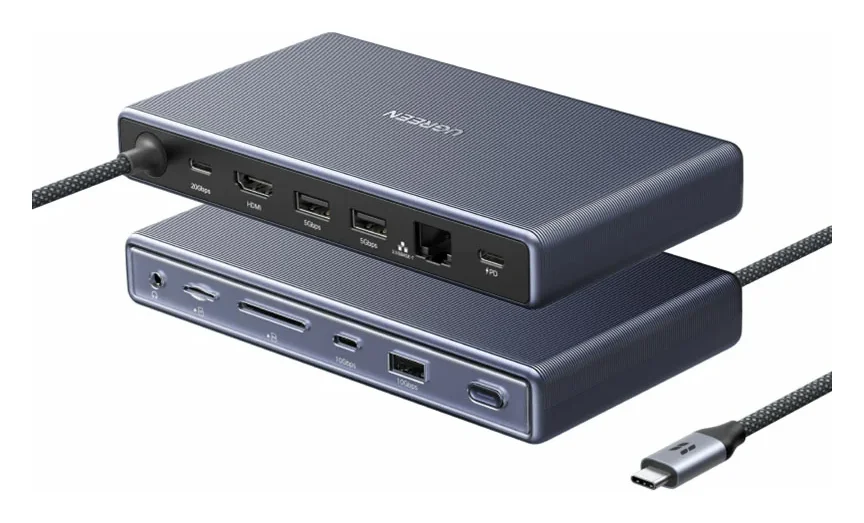
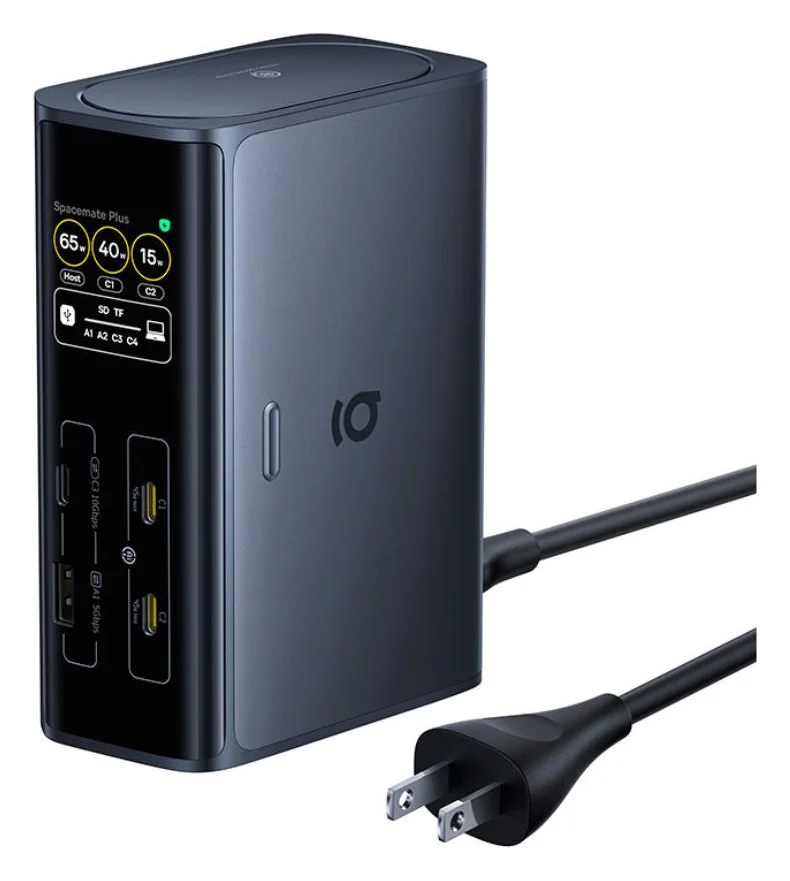
Hubs Finder

All hubs

Compare hubs

Add a hub
Price $74.99$149.99
Ports1011
Connects withUSB C 4.0USB C 3.2 Gen 2
Cable to your device80 cmNot stated
Charges your device115W100W
PowerUSB-C charger inputOwn power adapter
MonitorsUp to 2Up to 2
Fastest port40Gbps10Gbps
SSD slot——
SD card speedUHS-I—
SizeNot statedNot stated
WeightNot statedNot stated
Ports
USB C 3.2 Gen 2×1×2
USB C 4.0×1—
USB A 2.0—×2
USB A 3.2 Gen 1×2×2
USB A 3.2 Gen 2×1—
HDMI 2.0—×1
HDMI 2.1×1×1
Ethernet 1Gbps—×1
Ethernet 2.5Gbps×1—
SD×1×1
microSD×1×1
Audio Jack (3.5mm)×1—
Good to know
Notes
  • Monitors connect via HDMI 2.1 and the rear USB4 port; USB-C to DisplayPort cable included
  • Mac: 1 display on base M1–M3, 2 on base M4/M5 and M1–M5 Pro/Max
  • Windows: 2 displays on Thunderbolt 4/5 or USB4, 1 on USB-C DP Alt Mode
  • Dual 4K@144Hz on Windows, dual 4K@120Hz on Mac; a 4K@240Hz monitor may leave the second display blank
  • Downstream USB4 port limited to 20Gbps
  • No power supply included; 115W host charging needs a USB-C PD charger of up to 140W
  • Not for Thunderbolt 3, Snapdragon/ARM Windows laptops or Microsoft Surface
  • Mac: 1 extended display; with 2 monitors both show the same image
  • Windows: 2 extended displays; dual 4K@60Hz needs DP 1.4 with DSC, otherwise dual 1440p@60Hz (DP 1.4 without DSC) or 1080p@60Hz (DP 1.2)
  • 4K@120Hz only on HDMI 2 with one display on Windows; HDMI 1 and Mac max 4K@60Hz
  • Also has 2 USB-C PD charge-only ports (45W max), not in the port list
  • Laptop and charging ports share 120W total
  • Built-in 140W power supply; stands upright or lies flat, with an auto-rotating status screen
Pick it if you want
  • a faster connection to your laptop (40 vs 10Gbps)
  • more charging power (115 vs 100W)
  • an audio jack (3.5mm)
  • more USB-A ports (4 vs 3)
  • more HDMI ports (2 vs 1)
  • its own power adapter
Manufacturer pageUgreenBaseus
© Hubs Finder 2026Privacy PolicyAffiliate Disclosure
Contact Us

Allow cookies?

We use cookies to optimize the site experience.