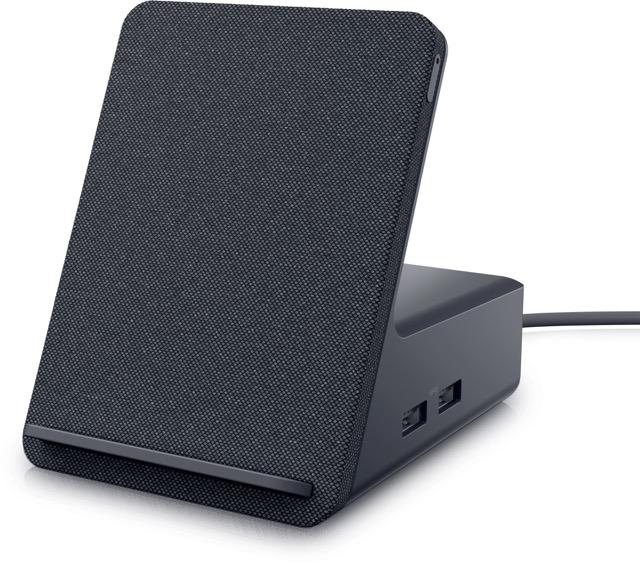
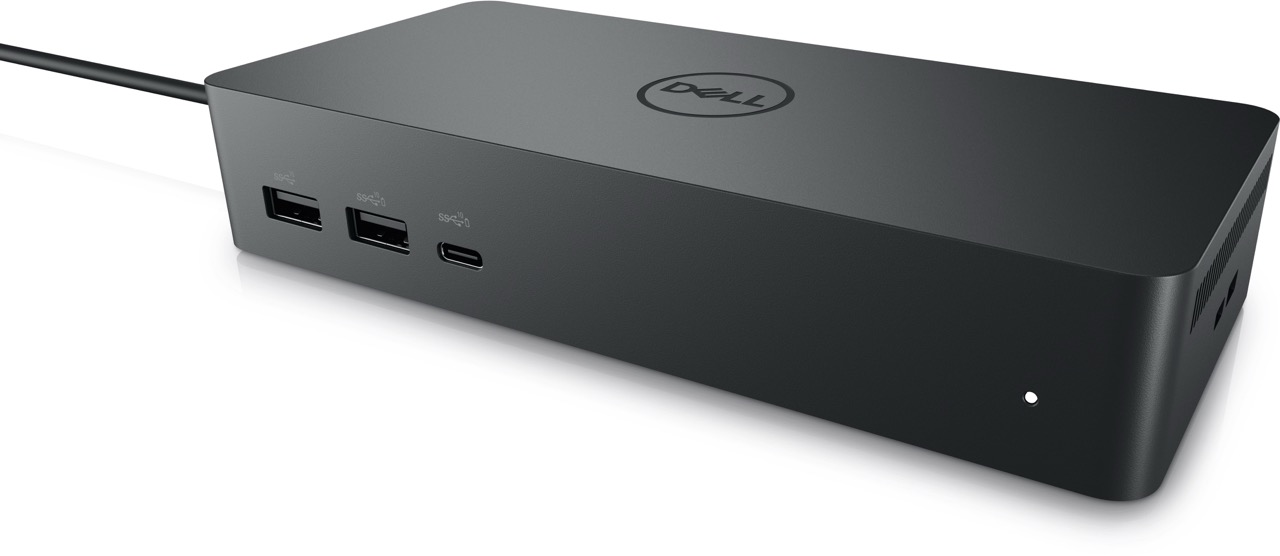
| Price | — | $152.65 |
|---|
| Ports | 8 | 10 |
|---|
| Connects with | USB C 3.2 Gen 2 | USB C 3.2 Gen 2 |
|---|
| Cable to your device | 80 cm | 80 cm |
|---|
| Charges your device | 90W | 96W |
|---|
| Power | Own power adapter | Own power adapter |
|---|
| Power supply | 130W | 130W |
|---|
| Monitors | Up to 4 | Up to 4 |
|---|
| Fastest port | 10Gbps | 10Gbps |
|---|
| SSD slot | — | — |
|---|
| SD card speed | — | — |
|---|
| Size | 11.7 × 11.3 × 9.1 cm | 16.6 × 7.6 × 3.2 cm |
|---|
| Weight | 670 g | 416 g |
|---|
| Security slot | Not stated | Kensington standard and Nano slots |
|---|
| Ethernet | Wake-on-LAN, MAC address pass-through | Wake-on-LAN, MAC address pass-through |
|---|
| Ports |
|---|
| USB C 3.2 Gen 2 | ×1 | ×2 |
|---|
| USB A 3.2 Gen 1 | ×4 | — |
|---|
| USB A 3.2 Gen 2 | — | ×4 |
|---|
| HDMI 2.0 | — | ×1 |
|---|
| HDMI 2.1 | ×1 | — |
|---|
| DisplayPort 1.2 | — | ×2 |
|---|
| DisplayPort 1.4 | ×1 | — |
|---|
| Ethernet 1Gbps | ×1 | ×1 |
|---|
| Good to know |
|---|
| Notes | - Mac: macOS not in Dell's supported OS list
- Windows: 2 displays direct (DisplayPort + HDMI): 4K 60Hz on DSC laptops, QHD 60Hz on HBR3, 1080p 60Hz on HBR2
- 3rd and 4th display only by MST daisy-chain from the DisplayPort port, DSC monitors needed above 720p; 4 only with the laptop screen off
- Single display up to 8K 30Hz on DSC laptops; HDMI 4K 120Hz or 8K 30Hz needs an HDMI 2.1 FRL monitor and cable
- USB-C port has no video
- Upright stand with a Qi wireless charging pad, up to 12W, one device at a time
- Laptops needing more than 90W must also use their own charger
- Wake-on-LAN and MAC pass-through only with select Dell laptops
| - Mac: macOS 12.2.1 or later; the DisplayPort outputs need the DisplayLink macOS driver; Dell gives no Mac display count
- Windows: 4x 4K 60Hz with the DisplayLink driver on HBR3 laptops with DSC; 2x 4K 60Hz + 2x QHD on HBR3, 2x 4K 60Hz + 2x 1080p on HBR2
- Without the DisplayLink driver only 2 outputs work: HDMI plus the DisplayPort next to it or the rear USB-C
- DisplayPort outputs run over DisplayLink (USB graphics); HDMI and rear USB-C share DP Alt Mode bandwidth
- Laptop charging drops from 96W to 60–75W when several displays and USB devices draw power
- HDCP only on Intel laptops running Windows
- Has a cooling fan
- Wake-on-LAN on Windows only; Wake-on-LAN and MAC pass-through only with select Dell laptops
|
|---|
| Pick it if you want | - HDMI 2.1 (vs 2.0)
- DisplayPort 1.4 (vs 1.2)
| - more USB-C ports (2 vs 1)
- more DisplayPort outputs (2 vs 1)
|
|---|
| Manufacturer page | Dell | Dell |
|---|
| What's inside |
|---|
| DisplayLink graphics | — | DisplayLink DL-6950 |
|---|
| MST hub | Synaptics VMM62211 | — |
|---|
| Charging controller | Infineon CCG22Texas Instruments2 | — |
|---|
| Found by | 1Stated by LVFS ↗2Stated by Dell ↗ | Stated by DisplayLink ↗ |
|---|