Hubs Finder

All hubs

Compare hubs

Add a hub
Price $119.69$69.99
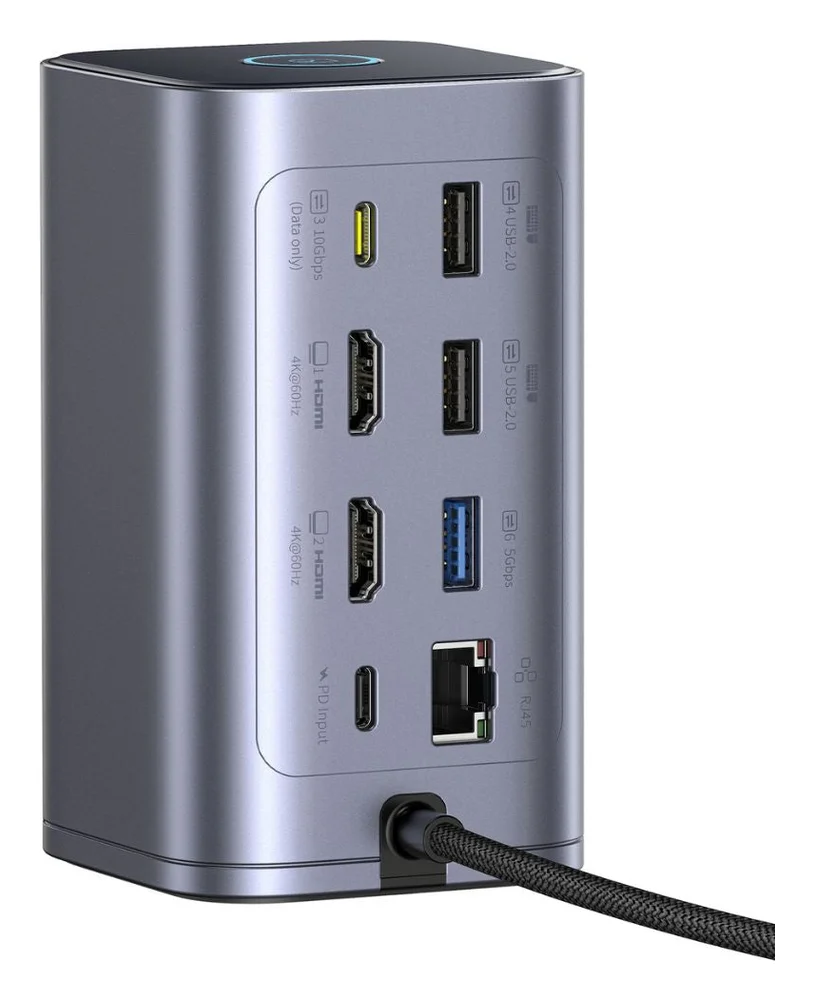
Ports1111
Connects withUSB C 3.2 Gen 2USB C 3.2 Gen 2
Charges your device95W95W
PowerUSB-C charger inputUSB-C charger input
MonitorsUp to 2Up to 2
Fastest port10Gbps10Gbps
SSD slot——
SD card speed——
SizeNot statedNot stated
WeightNot statedNot stated
Ports
USB C 3.2 Gen 2×2×2
USB A 2.0×2×2
USB A 3.2 Gen 1×2×2
HDMI 2.0×2×2
DisplayPort 1.2×2—
Ethernet 1Gbps×1×1
SD—×1
microSD—×1
Good to know
Notes
  • Displays run over DisplayLink; install the DisplayLink driver before use
  • Mac: 2 extended displays, including base M1–M3 chips
  • Windows: 2 extended displays
  • 1 display up to 4K@60Hz; 2 displays up to 1440p@60Hz each
  • 2 video outputs, each HDMI or DisplayPort, one at a time
  • Needs your own USB-C PD charger (100W input); up to 95W to the laptop, 90W with 1 USB port in use and 75W with all in use on a 100W charger
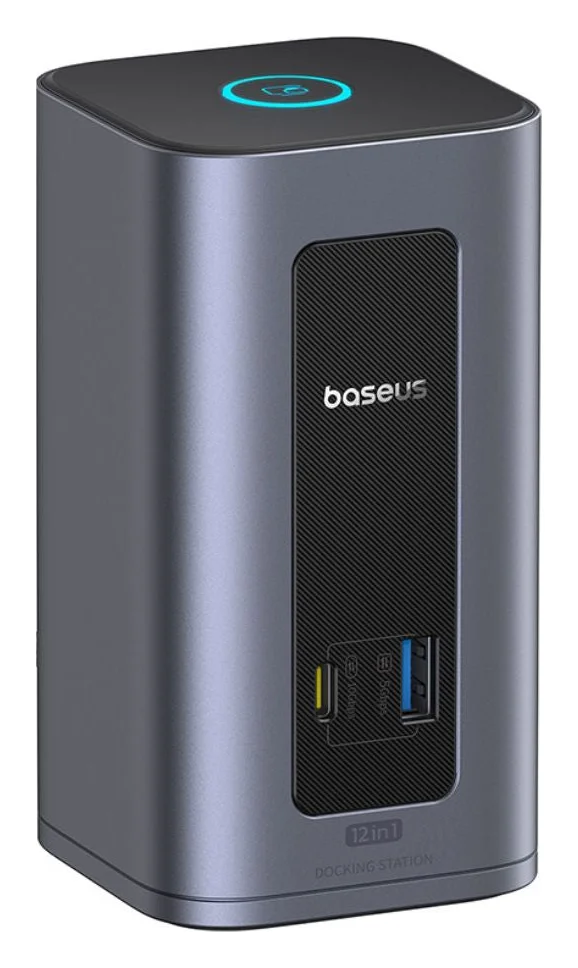
  • Upright tower with a tethered 2.6 ft USB-C cable and a screen-lock / energy-saving button
  • Mac: 1 display; with 2 monitors both show the same image (no MST on macOS)
  • Windows: 2 extended displays; dual 4K@60Hz needs DP 1.4 with DSC, otherwise dual 1080p@60Hz (DP 1.2) to 1440p (DP 1.4 without DSC)
  • HDMI ports max 4K@60Hz
  • Charger not included; needs a USB-C PD charger on the PD input, 100W recommended
  • Laptop gets 65–95W with nothing plugged in, 5W less per connected USB data port
  • Top button locks the screen, or held 2s turns off every port except PD pass-through
Pick it if you want
  • 2 DisplayPort outputs (1.2)
  • SD and microSD card readers
Manufacturer pageBaseusBaseus
What's inside
DisplayLink graphicsDisplayLink DL-6700Not known
Found byStated by Synaptics ↗—
© Hubs Finder 2026Privacy PolicyAffiliate Disclosure
Contact Us

Allow cookies?

We use cookies to optimize the site experience.